

// Task Templates
Task templates: agency workflow management software that builds the project for you
Write the work you repeat once — the steps, estimates, subtasks and what has to finish first. Apply it to a client’s board and Azyneo creates the tasks, links the dependencies and packs the dates against real capacity.
- No Setup Fee
- INR · GST Invoices
What is agency workflow management software?
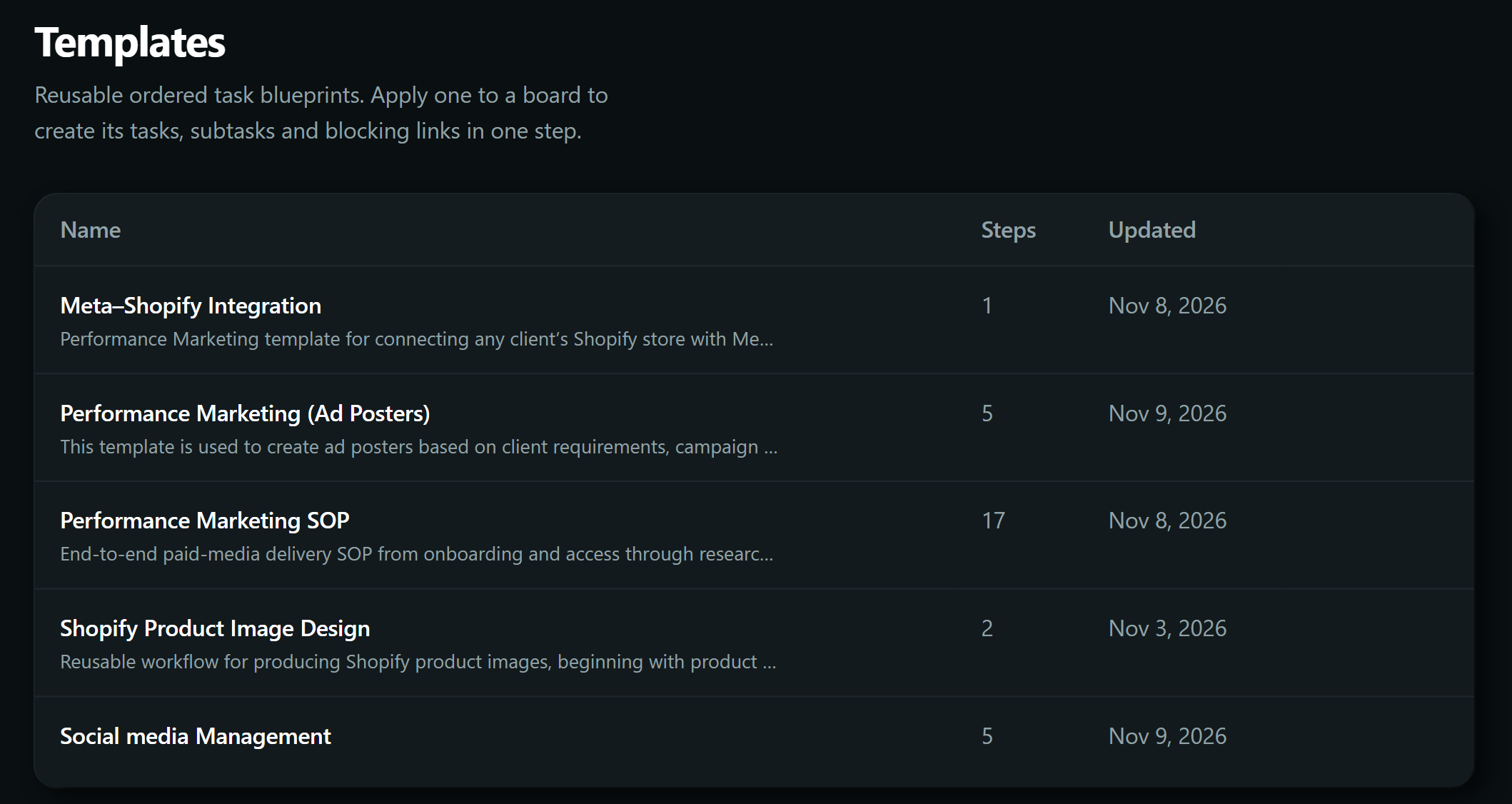
Agency workflow management software turns the work you repeat for every client into something you write once and reuse. In Azyneo that is a task template: steps with estimates, subtasks and dependencies that you apply to a client’s board, so a new project starts planned instead of starting blank.
- Steps carry estimates, priorities, day offsets and subtasks
- Each step can wait for the one before it
- Templates are optional — one-off work sits beside them
// Templates
Write the work you repeat once, as a task template
Most agencies deliver the same five to ten things over and over. A task template holds one of them: every step, how long it should take, when it starts relative to the others, and the subtasks inside it. After that, starting a project is choosing the template and the board.
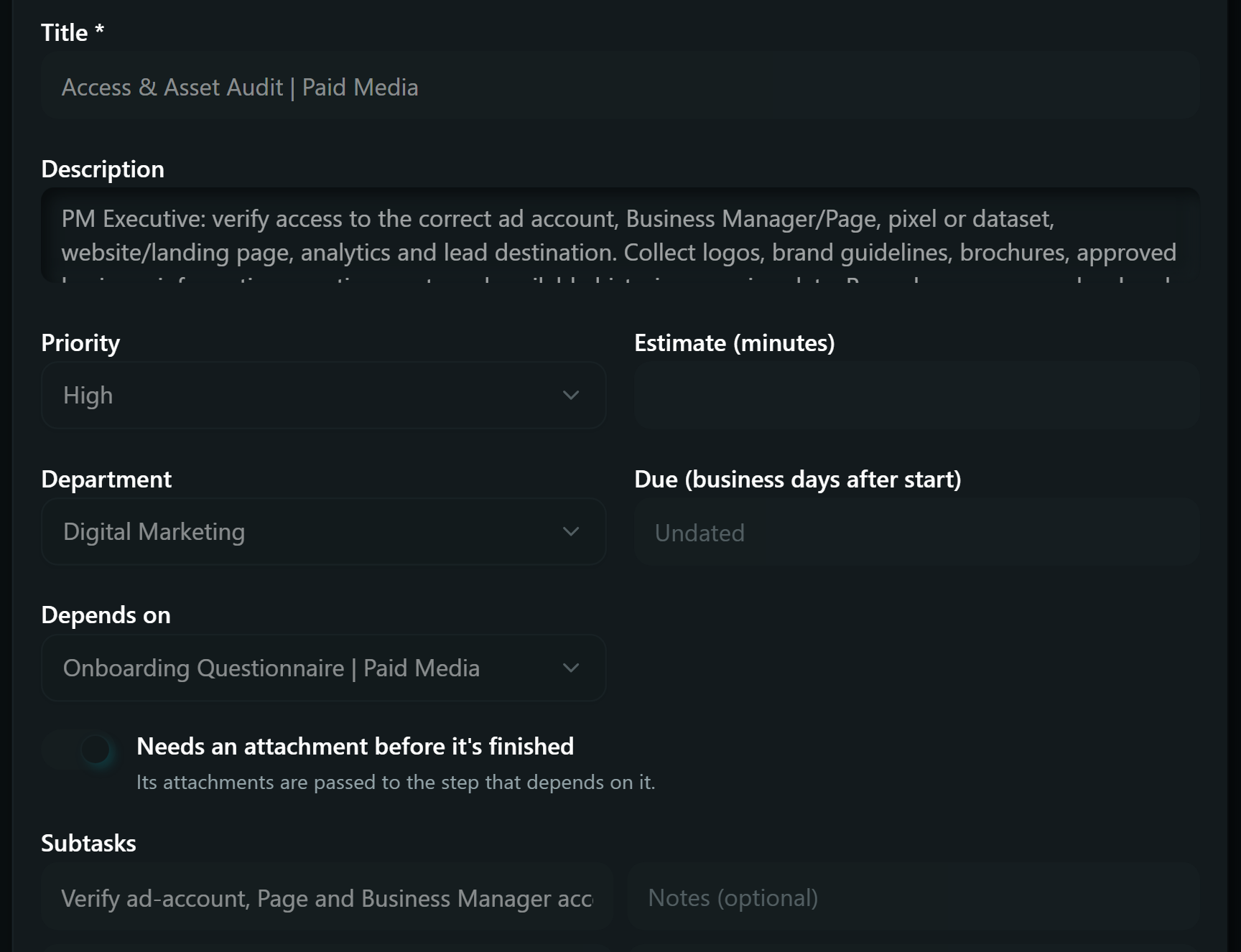
- Steps with estimates, priorities, day offsets and subtasks
- Each step can wait for the one before it — dependent steps start in Backlog, first steps in To do
- Build it as a list, or as a flow: the node view shows steps as cards and dependencies as arrows
// Hand-Off
Steps that hand their work to the next one
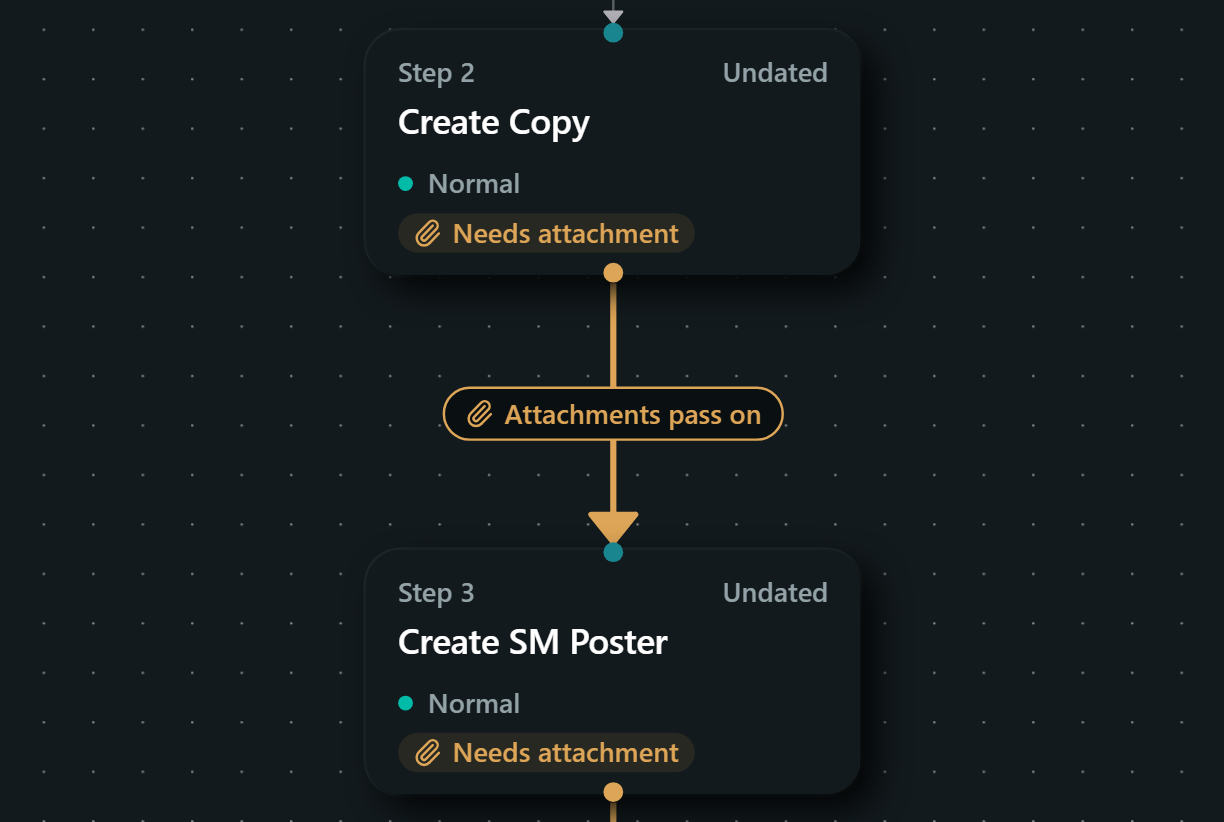
Most delays between steps are not work, they are hunting — for the file, for the note, for whoever had it last. A template step can require an attachment before it counts as finished, and the person on the next step receives that file and note directly.
- Mark a step “needs an attachment before it’s finished”
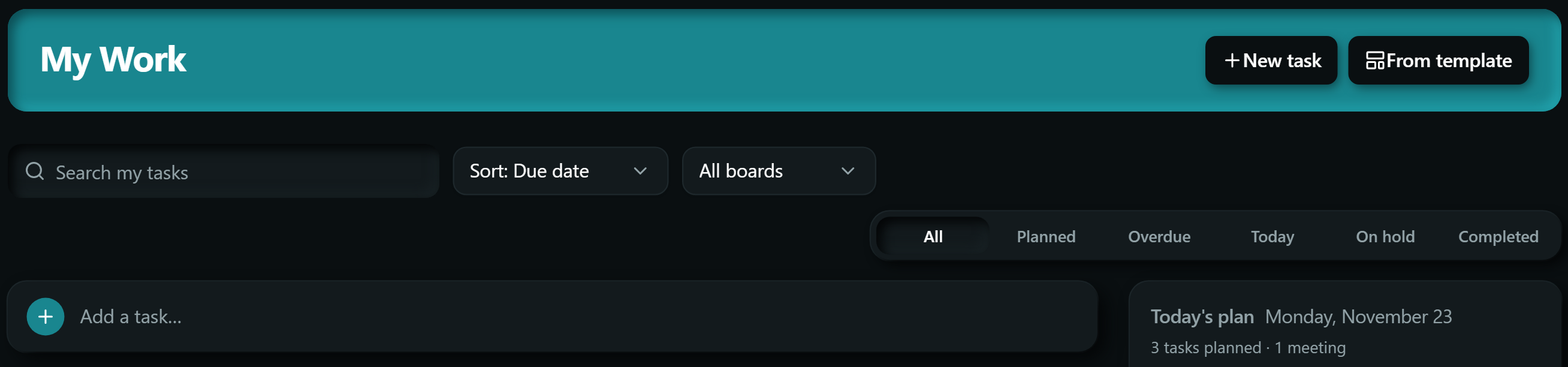
- The next person gets the file and the note on their My Work
// Per Client
One template, adjusted for each client
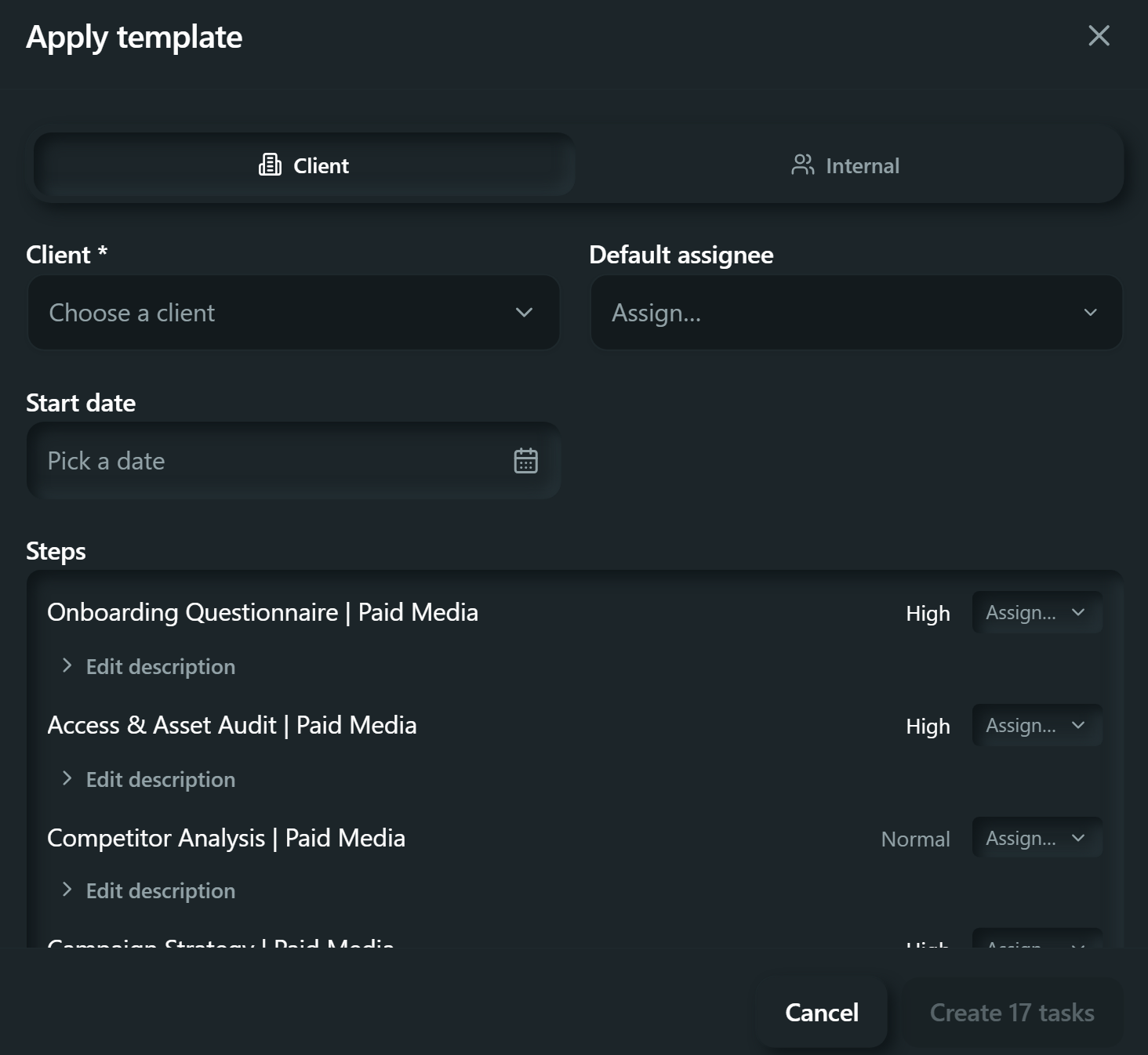
The steps for a brand refresh are the same for every client; the brief is not. When you apply a template you pick the client first, then the board, and you can rewrite the step and subtask descriptions for that board alone. The template itself stays unchanged.
- Pick the client first, then the board — never a bare board name
- Rewrite step and subtask descriptions for this board only
- The template you return to next time is exactly as you wrote it
// Flexible
Templates are optional, not a straitjacket
Most agency work is not a fixed SOP, and a tool that forces it into one gets worked around. Templates cover what you genuinely repeat; everything else is ordinary tasks on the same board, scheduled the same way.
- Add one-off tasks beside templated ones
- Recurring tasks that create themselves on schedule
- Duplicate a template, a task or a whole board
// How It Works
How a template becomes live work
4 steps, one continuous record. Nothing is re-keyed between them.
Write the steps once
Estimates, priorities, day offsets, subtasks and which step waits on which.
Choose the client and board, and adjust the descriptions
Rewrite what this client needs to know without touching the template.
Azyneo creates the tasks, subtasks, links and assignees
First steps land in To do; steps that wait on another start in Backlog.
Dates are packed against real capacity
Each step is booked into the hours its assignee actually has, around approved leave.
// Boards
Boards set up the way each client works
Every board has its own stages, so a retainer and a website build do not have to share one set of columns. Boards are grouped by client, which is also how templates are applied and how the team finds them.
// Wiki
Link the SOP behind a template to the wiki
A template says what the steps are; the wiki says how to do them well. Link the SOP page from the template’s steps so the person picking up the work has the method beside the task, not in a folder somewhere.
// Comparison
Task templates versus manual task lists
| Capability | Azyneo task templates | Manual task lists |
|---|---|---|
| Time to start a new project | Apply a template | Rebuilt by hand |
| Steps can be forgotten | ||
| Dependencies between steps | Linked automatically | Remembered, maybe |
| File hand-off between steps | Required attachment, passed on | Hunted for in chat |
| Dates | Packed against real capacity | Typed in |
| Recurring work | Creates itself | Someone remembers |
// Neo & API
Apply templates from Neo or the API
Ask Neo to set up a project from a template and it shows you the plan before anything is created. Teams wiring Azyneo into their own systems can do the same through the Azyneo task management API.
FAQ
Task template questions
Workflows were retired on 18 September and replaced by task templates. Templates do the same job — turning repeat work into a ready-made plan — with less setup, and they sit beside one-off tasks instead of forcing every project into a fixed process.
Start with the two or three things you deliver most often. They usually cover most live projects, and the rest can be written once the first ones are earning their keep.
Yes. You pick the client and board when you apply it and can rewrite the step and subtask descriptions for that board only. The template itself stays unchanged.
No. Applying a template creates ordinary tasks on the board, so later edits to the template affect the next project, not the work already running.
No. Templates are optional. One-off tasks, recurring tasks and duplicated boards all live beside templated work and are scheduled the same way.
Neo can apply one when you ask, showing you the plan first, and the Azyneo API lets your own systems do the same.
Get Azyneo running for your agency.
Tell us your team size and how you want to run it — SaaS or on-premises — and sales will come back with a quote the same working day.