

// Leave & Coverage
Leave management software for agencies, connected to the delivery schedule
Leave in a spreadsheet tells you who is away. Leave inside the delivery system tells you which tasks are at risk, who has the hours to cover them, and whether any client date moves.
- No Setup Fee
- INR · GST Invoices
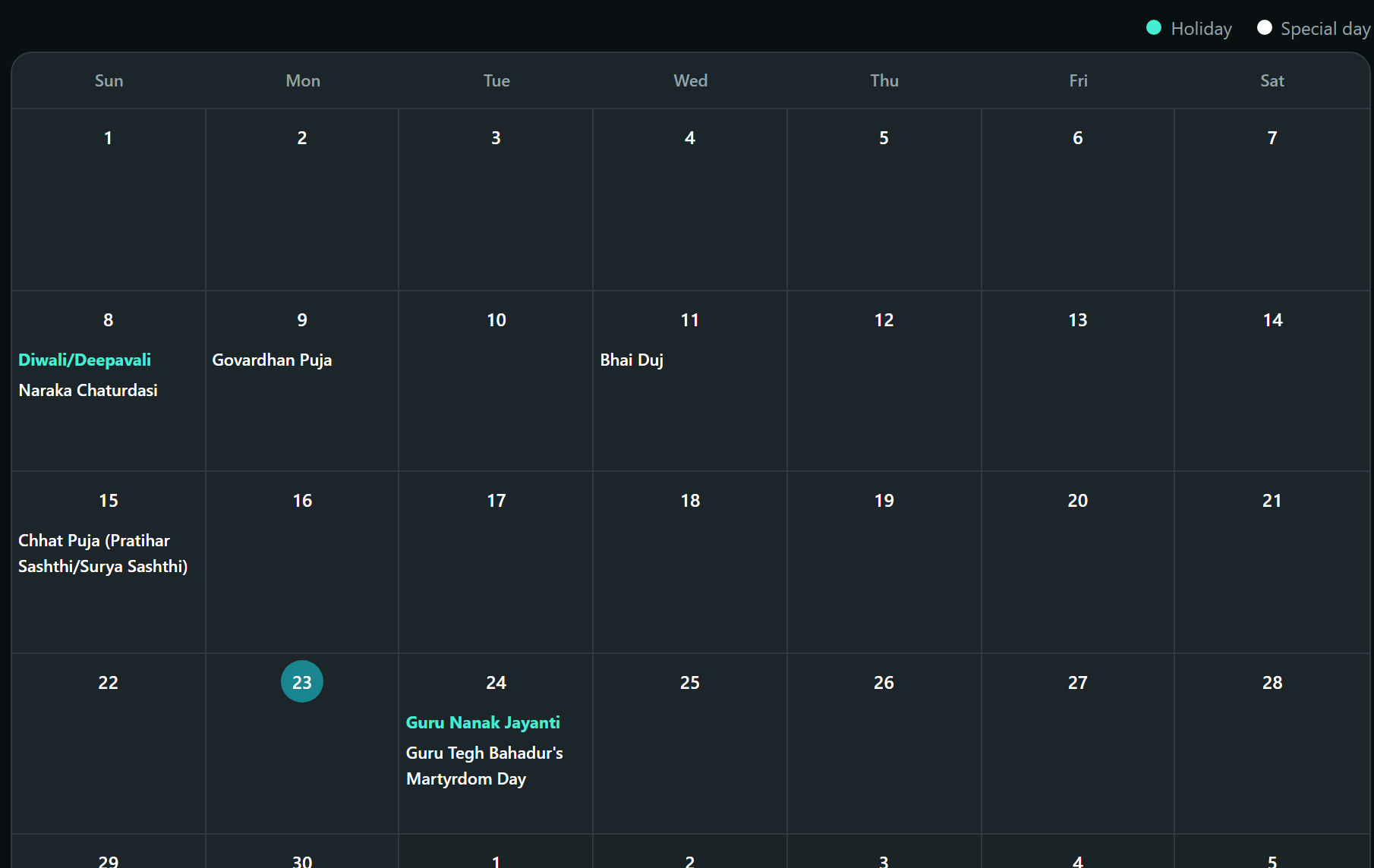
Why leave belongs inside your project tool
A leave tracker that lives apart from the schedule cannot stop work being booked over an approved absence. When the two are the same system, approving leave immediately shows the work at risk and proposes who can cover it before the dates are confirmed.
- Approval workflow with no self-approval
- Team leave calendar with clash warnings
- Indian public holidays and custom office calendars
// Requests
Request, approve and see leave in one calendar
Requests go to a manager, not to a shared inbox. The team calendar shows who is away and warns when two people the same work depends on are off in the same week — which is the clash that actually hurts.
- Approval workflow with no self-approval
- Team leave calendar and clash warnings
- Indian public holidays and custom office calendars
Coverage is proposed before the leave is confirmed
// Coverage
Coverage: who picks up the work
Approving leave without deciding coverage just moves the problem to the week it happens. Azyneo lists the affected tasks, suggests people with genuinely free hours, and recalculates any deadline that still moves after cover is assigned.
- Coverage proposals before leave is confirmed
- Affected deadlines recalculated automatically
- Reassigned tasks keep their dependencies and reviews intact
Approved leave is never scheduled over
// How It Works
How a leave request flows through Azyneo
4 steps, one continuous record. Nothing is re-keyed between them.
The team member requests the dates
From the same place they see their own workload.
Azyneo shows what work is at risk
The specific tasks and client deadlines the absence touches.
A manager approves and assigns coverage
Choosing from people who genuinely have the free hours that week.
The schedule reflows around the absence
Nothing is booked over the leave, and moved dates are surfaced.
FAQ
Leave and coverage questions
No. Azyneo handles leave as it affects delivery — requests, approvals, calendars and coverage. Payroll and statutory records stay in your HR system.
Yes, and they are never scheduled over. Your own office calendar and client calendars can be added on top, which matters for teams split across states.
No. Leave requests go to a manager for approval, and self-approval is not allowed.
Because leave and reviews live in the same system, a team lead can see the reviewer is away and choose another reviewer, so work does not sit waiting for someone who is out.
The team calendar shows who is away and when, so clashes are visible before they are approved.
Get Azyneo running for your agency.
Tell us your team size and how you want to run it — SaaS or on-premises — and sales will come back with a quote the same working day.