

// API Reference
The Azyneo task management API — reference and guides
Create and update work programmatically, and pull delivery and margin data into the systems your agency already reports in. The API enforces the same rules the interface does.
What is the Azyneo task management API?
The Azyneo API is an authenticated HTTP interface for creating and updating tasks, projects and assignments, for reading delivery, time and margin data, and for talking to Neo from your own tools. It runs through the same validation and permission layer as the product, so an API call cannot skip a review or read a board the key’s owner cannot see.
- Scoped API keys, issued per organisation
- Writes validate against the same rules as the interface
- Reporting endpoints return the data behind the dashboards
// Authentication
Authentication and API keys
Keys are issued per organisation from workspace settings and carry the capabilities of the role they are created under. A key can never do more than a person holding that role could do in the product, which means revoking a role’s capability revokes it for every integration built on it at the same time.
- Keys are scoped to one organisation and shown once at creation
- Requests are authenticated per call; there is no session to maintain
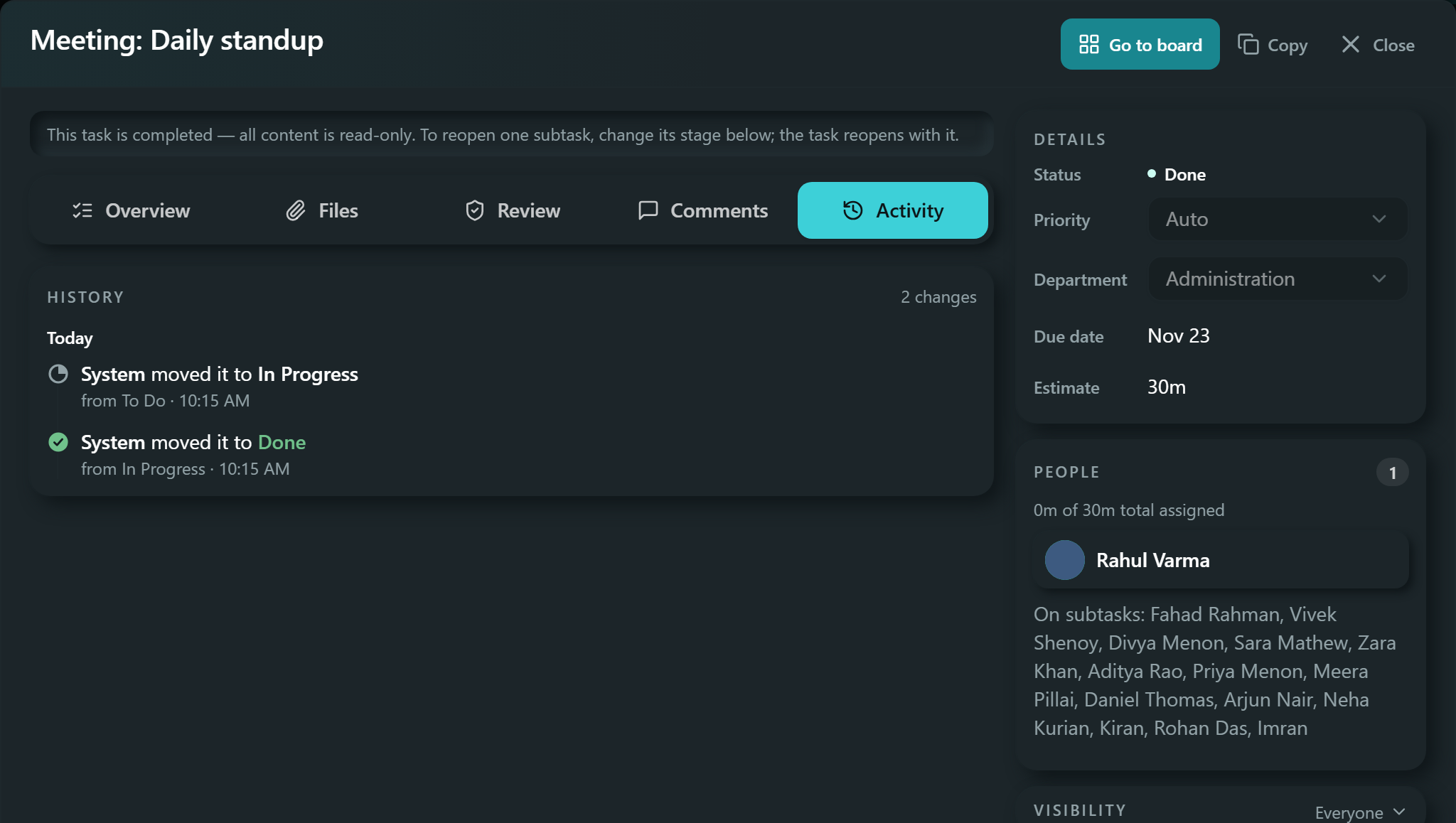
- Every API-originated change is written to the same audit log as interface actions
- Revoking a key stops the integration immediately, without touching the data it created
Enforced in the database, not the interface
// Actions
Creating and updating tasks, projects and assignments
Writes go through an action registry rather than a set of free-form record updates. Each action names the operation being performed, validates its inputs against the rules for that operation, and either applies the change completely or applies none of it.
- Actions cover task, project and assignment creation and updates
- The registry is the same one the product calls, so behaviour cannot diverge
- A rejected action changes nothing — there are no partial writes to unwind
// Write Semantics
How a write is applied
4 steps, one continuous record. Nothing is re-keyed between them.
Submit the action with an idempotency key
The key makes a retry safe. A repeated call carrying a key that has already been applied returns the original result instead of performing the work a second time, which is what makes network retries safe to automate.
The action is validated as a draft
Inputs, permissions and delivery rules are checked before anything is written. A draft that violates a rule — closing a task while its review is open, a board the caller cannot see — is rejected at this point.
A rejection names the step that failed
Validation errors return the specific step that failed rather than a generic message, so an integration can tell the difference between a malformed payload, a permission problem and a delivery rule refusing the change.
The confirmed action is applied and logged
A validated action commits as a unit and lands in the audit trail attributed to the key that made it, alongside changes made through the interface.
// Reporting
Reporting endpoints and exports
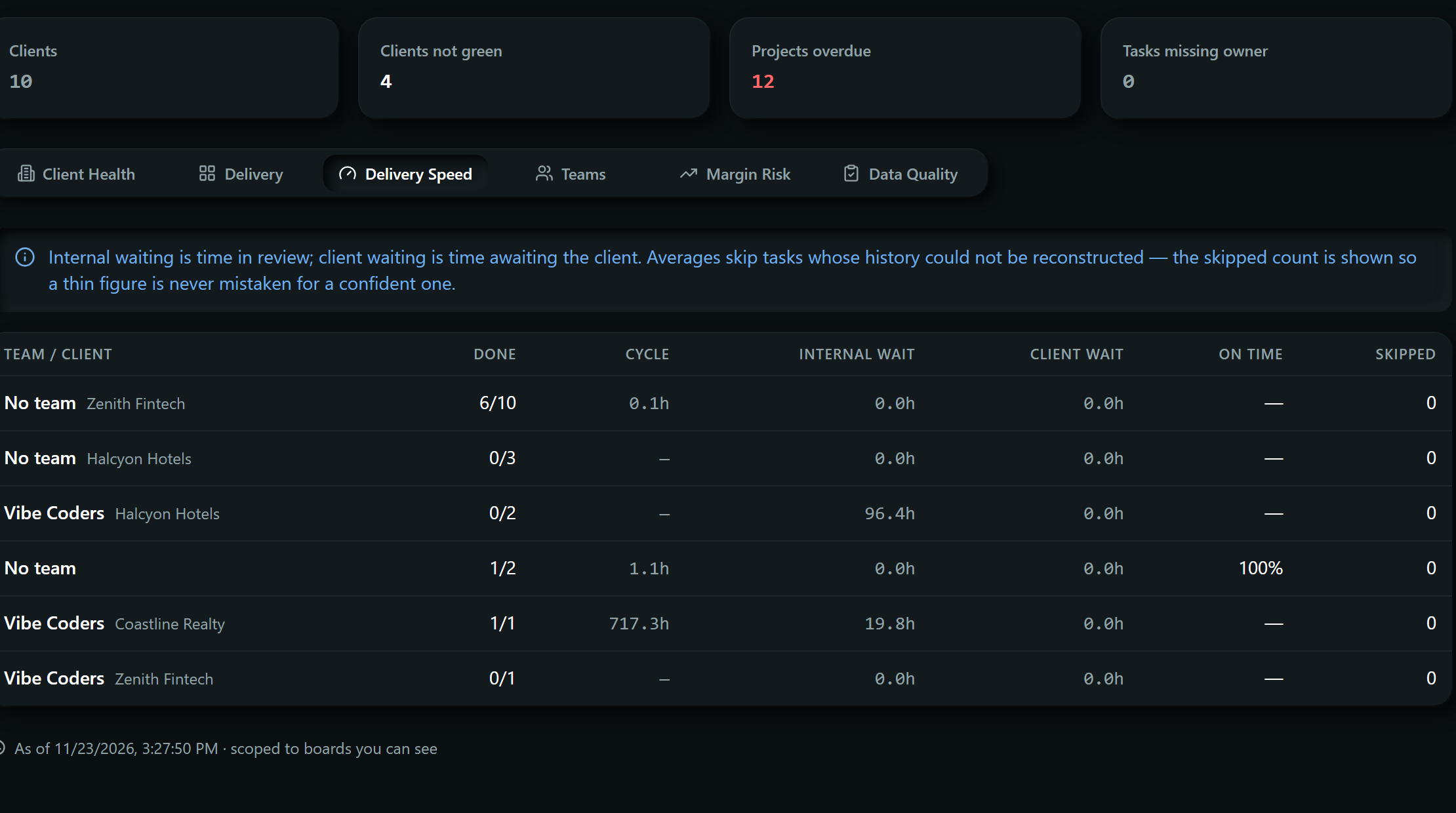
The reporting surface exposes the data behind the profitability dashboards — tracked hours, utilisation, project and client margin, and retainer burn — so leadership reporting can live wherever the rest of your numbers already do.
- Hours, utilisation and margin, filterable by project, client and person
- Reads respect the permissions of the key’s role, exactly as the dashboards do
- CSV export covers the same data for teams that do not want to build an integration
// Agent API
The agent API: talk to Neo from your own tools
The agent API lets your own agents and scripts work with Neo rather than around it. An integration can read the mentions feed and send requests to a person’s Neo through the /neo endpoints, and Neo answers with the same permissions as the person it belongs to.
- A mentions feed for picking up requests addressed to Neo
- /neo endpoints for sending a request and reading the answer
- Runs as the person, so it sees only what they are allowed to see
- Changes are still proposed as a plan and confirmed before they happen
Which plan includes the API
The public write API, the reporting endpoints and the agent API are on the Enterprise plan today, alongside email-to-task, CEO reporting and custom limits. If you are on Basic or Pro and an integration is the reason you are looking, talk to us about what you are building.
- Enterprise only today
- Keys are issued from workspace settings
- Talk to us about an integration before you build
// Reference Status
Rate limits, versioning and the endpoint reference
This page documents the API’s contract: how authentication works, how writes are validated and applied, and what the reporting surface exposes. The per-endpoint reference — paths, parameters, payloads and response bodies for every action — is generated from the deployed schema rather than written by hand, and publishes with the docs platform in Phase 3.
That is a deliberate choice rather than a gap we are apologising for. A reference written ahead of the service describes an API that does not exist yet, and a developer who loses an afternoon to an endpoint that was documented but never shipped does not come back. Nothing appears on this page until it is live.
Breaking changes are versioned and announced on the changelog before they take effect, with the previous behaviour supported through the transition. If you are building against Azyneo now and want the reference early, or need a rate limit raised for a specific integration, contact us and we will work with you directly.
FAQ
API questions
No. Keys inherit the capabilities of the role they are issued under, and every call is checked against the same permission layer as the interface. An integration cannot read a confidential task or approve a review its role has no authority over.
Yes, when the call carries an idempotency key. A retry with a key that has already been applied returns the original result rather than repeating the work, so a timeout mid-request cannot create the same task twice.
It is rejected during validation and nothing is written. The response names the step that failed, so your integration can distinguish a malformed payload from a permission problem or a rule refusing the change.
Outbound webhooks are on the roadmap and are not shipped yet. They will be documented here when they are live and announced on the changelog — this page does not describe anything you cannot call today.
Not as a separate environment. Most teams build against a spare workspace, which behaves identically to production without touching client data. Tell us what you are building and we will help you set it up.
They are versioned, announced on the changelog ahead of taking effect, and the previous behaviour is supported through the transition. API changes always link back to this reference from the changelog entry.
Get Azyneo running for your agency.
Tell us your team size and how you want to run it — SaaS or on-premises — and sales will come back with a quote the same working day.