

// Channels
A team chat app for agencies, where the conversation sits next to the work
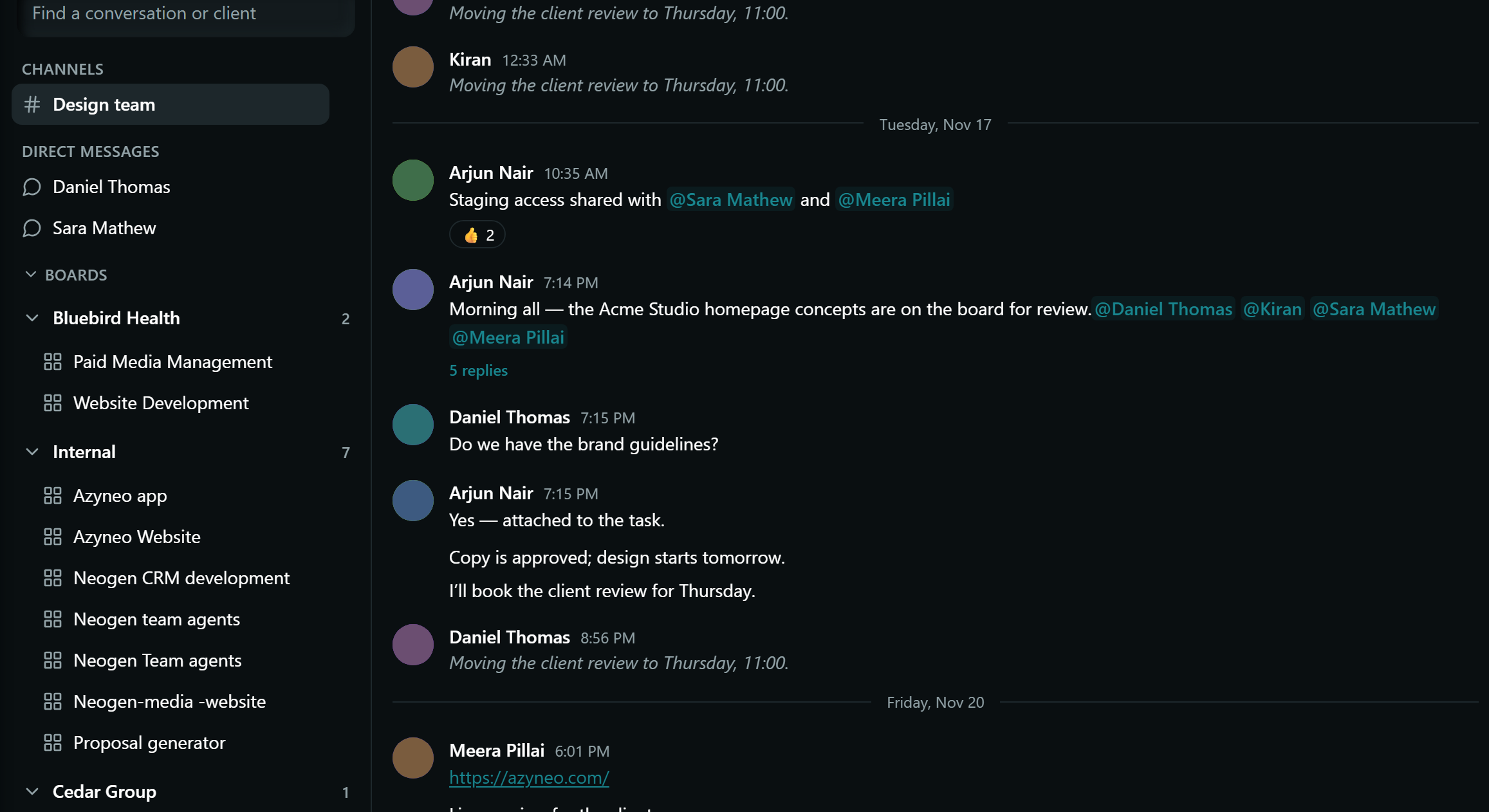
Channels, DMs and a channel for every board — inside the same tool as the tasks. Tag a task with # and it links itself, send a voice note and it is transcribed, and ask a colleague’s Neo when they are away.
- No Setup Fee
- INR · GST Invoices
Why agencies need chat inside their project tool
When chat lives in one app and the work in another, every decision has to be copied across — and most are not. Chat inside the project tool keeps the conversation beside the task it is about, so context is not lost to switching between tabs or scrolling a separate app.
- A channel for every board
- Tag a task with # and it links itself
- Voice messages, transcribed
// Channels
Channels, DMs and a channel for every board
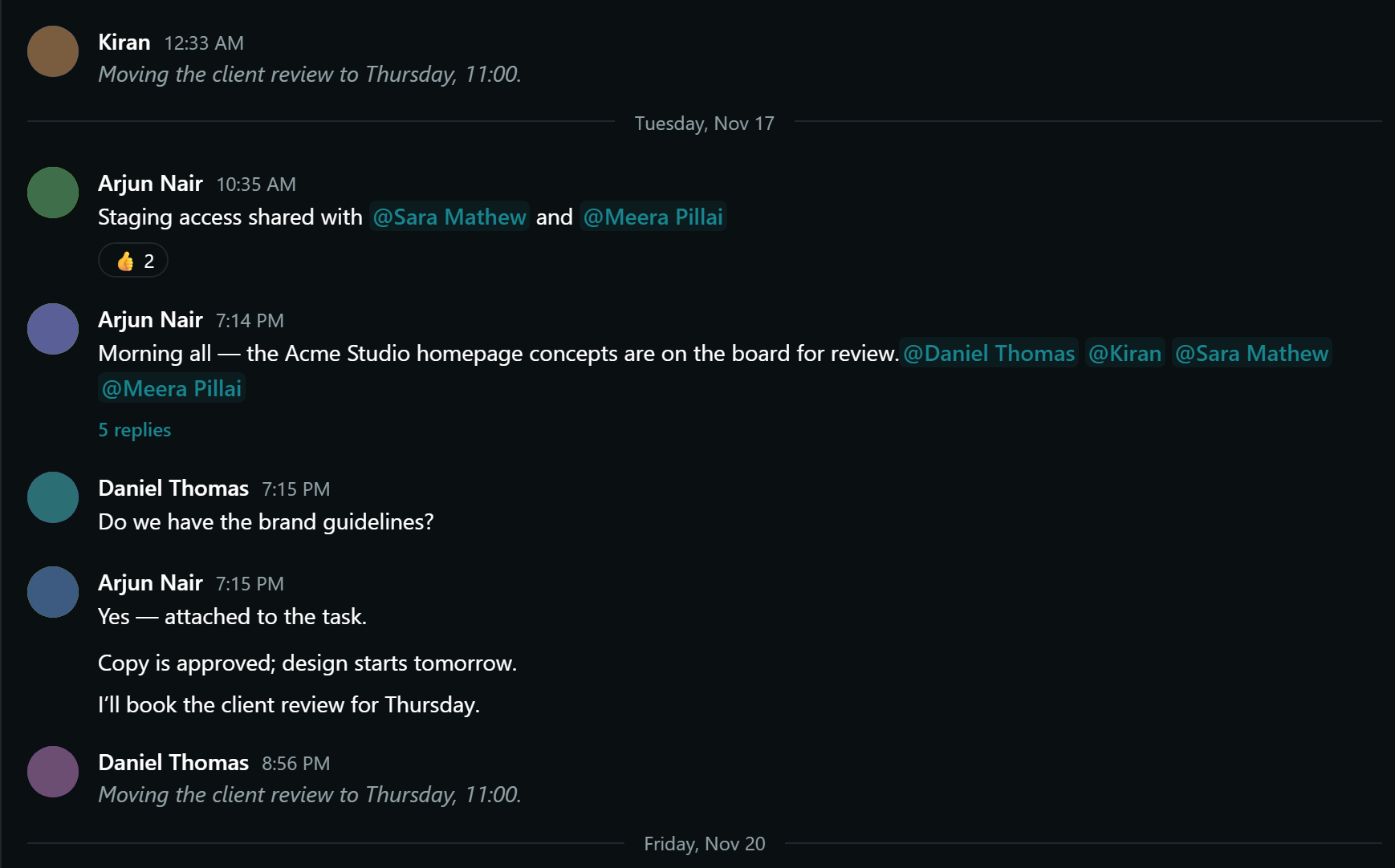
Every board gets its own channel, so the team working on a client has a place to talk about that client. Public and private channels and direct messages cover everything else.
- Public, private and direct messages
- Tag a task with # and it links itself
- Threads, reactions, files and pinned conversations
// Voice
Voice messages, transcribed
Some things are quicker to say than type. Record a voice message and it arrives with a transcript, in English or Malayalam, so the person reading it later does not have to play it to find the one detail they need.
Who is over capacity next week?
Riya K is booked to 104% on Tuesday. Moving “Applications sheet” to Arjun M clears it without changing the Acme deadline.
Draft · confirm to applyEvery write is drafted first and confirmed by you
// Neo
Ask a colleague’s Neo instead of waiting for them
When the person who knows is in a meeting or on leave, ask their Neo from chat. It answers from what that colleague is allowed to see and share, so the question does not wait a day for a reply.
Enforced in the database, not the interface
// Notifications
Notifications on desktop and phone
Azyneo installs as an app on your phone and desktop and sends notifications to both, so a mention reaches you whichever screen you are on.
// How It Works
How teams move a conversation into work
3 steps, one continuous record. Nothing is re-keyed between them.
Discuss in the board’s channel
The client’s team, in one place, next to the client’s tasks.
Tag the task, or ask Neo to create one
A # tag links the task; Neo shows you the new task before it creates it.
The task carries the context
Whoever picks it up can see the conversation that led to it.
// Comparison
Azyneo Channels vs Slack for agency teams
| Capability | Azyneo Channels | Slack |
|---|---|---|
| A channel for every board, automatically | ||
| Tag a task and it links itself | Via integrations | |
| Voice messages with transcripts | English and Malayalam | Varies by plan |
| Ask a colleague’s AI assistant | ||
| Guest and external-organisation access | ||
| Integration marketplace |
Slack is a mature, standalone messaging platform with a large integration ecosystem and guest access, which Azyneo Channels does not offer. Comparison reflects publicly documented features as of November 2026.
FAQ
Team chat questions
Yes. Private channels and direct messages are visible only to their members — admins included.
No. Channels are for your own team. Guest and client access to chat is not available.
Yes. Conversations stay in their channel alongside the board, and important messages can be pinned or saved to the wiki.
For internal delivery conversation, many agencies will not. If you rely on Slack for talking with clients or external partners, or on its integrations, you may keep it for those.
Get Azyneo running for your agency.
Tell us your team size and how you want to run it — SaaS or on-premises — and sales will come back with a quote the same working day.