

// Reviews & Approvals
Creative approval workflow software with reviews that actually block
Approval in most tools is a status somebody sets. In Azyneo it is a rule the database enforces: send a task for review and it cannot reach Done until the reviewer approves it.
- No Setup Fee
- INR · GST Invoices
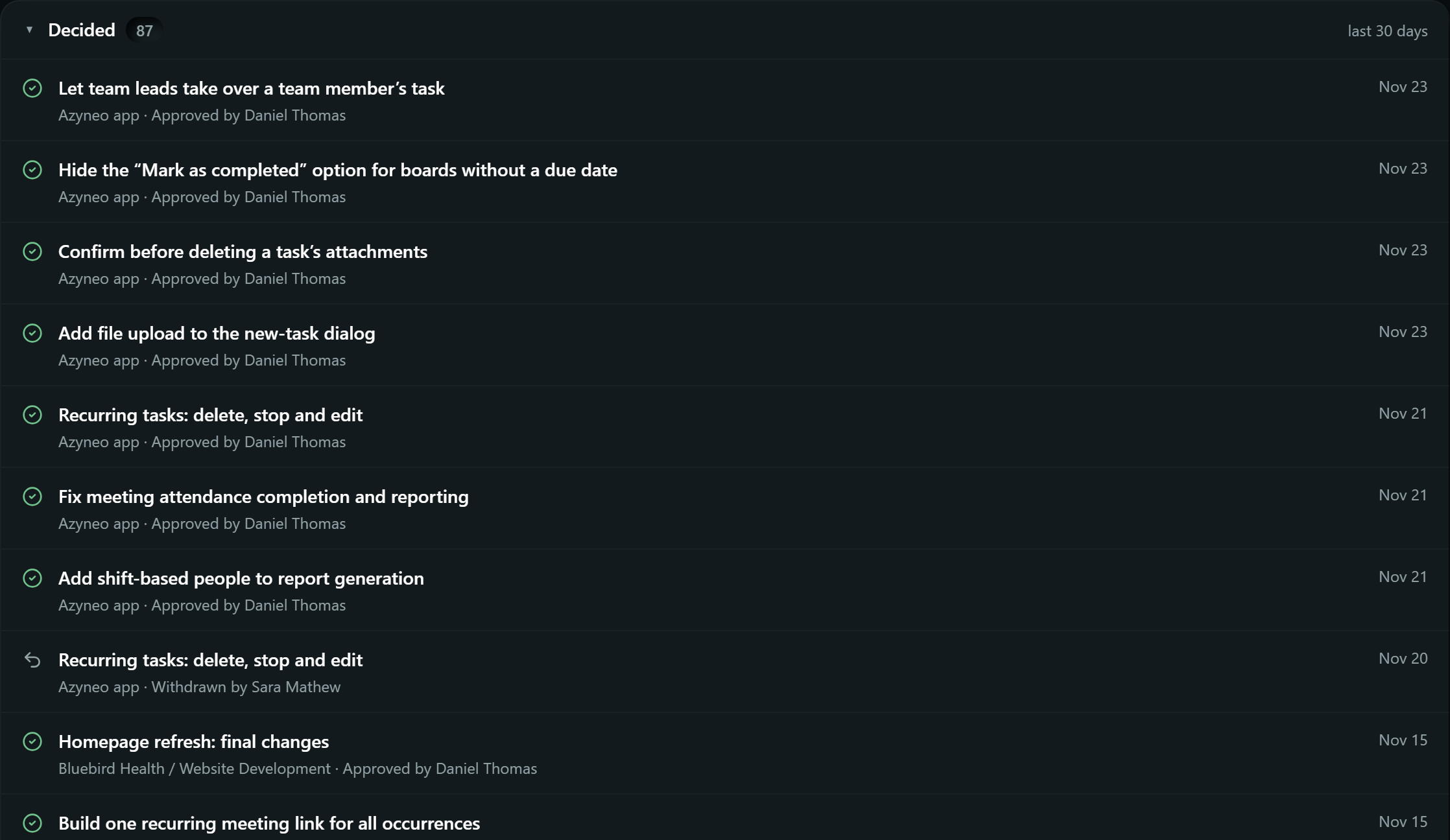
What is a creative approval workflow?
A creative approval workflow makes finished work pass a review before it can be called done. The assignee sends it to a reviewer, the reviewer approves it or asks for changes with a note, and only approved work can complete — so quality is checked in a fixed place, not whenever someone happens to look.
- A task cannot reach Done while a review is open
- Choose the reviewer from anywhere in the organisation
- Approve, or approve and pass on to a senior reviewer
// Enforced, Not Advisory
Send for review, and the work waits until it passes
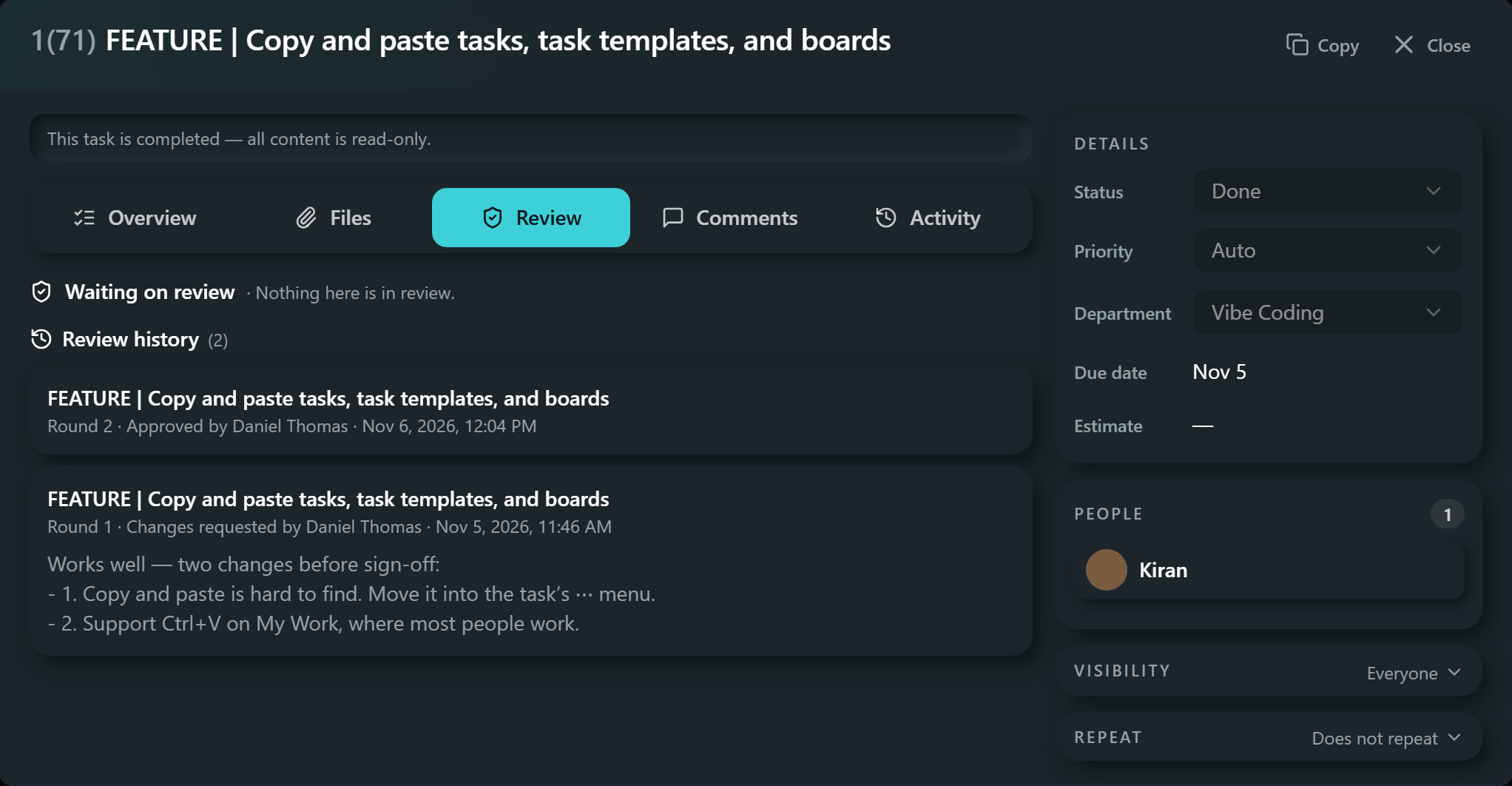
The difference between a review step and a review that blocks is whether it can be skipped at 6pm on a deadline. Azyneo enforces it in the database, so the rule holds whether the task is closed from the board, from Neo or through the API.
- A task cannot reach Done while a review is open
- A task cannot close with an unfinished subtask — enforced in the database, on every path
- “Changes requested” lands back on the person’s My Work, with the reviewer’s note
// Reviewers
Choose who reviews
Review works best when the right person does it, not whoever is watching a shared queue. Team leads and executives pick the reviewer for a task, from anywhere in the organisation, and a reviewer can approve or pass the work up to someone more senior.
- Team leads and executives pick the reviewer
- Reviewers from anywhere in the organisation, not just the board’s team
- Approve, or approve and pass on to a senior reviewer
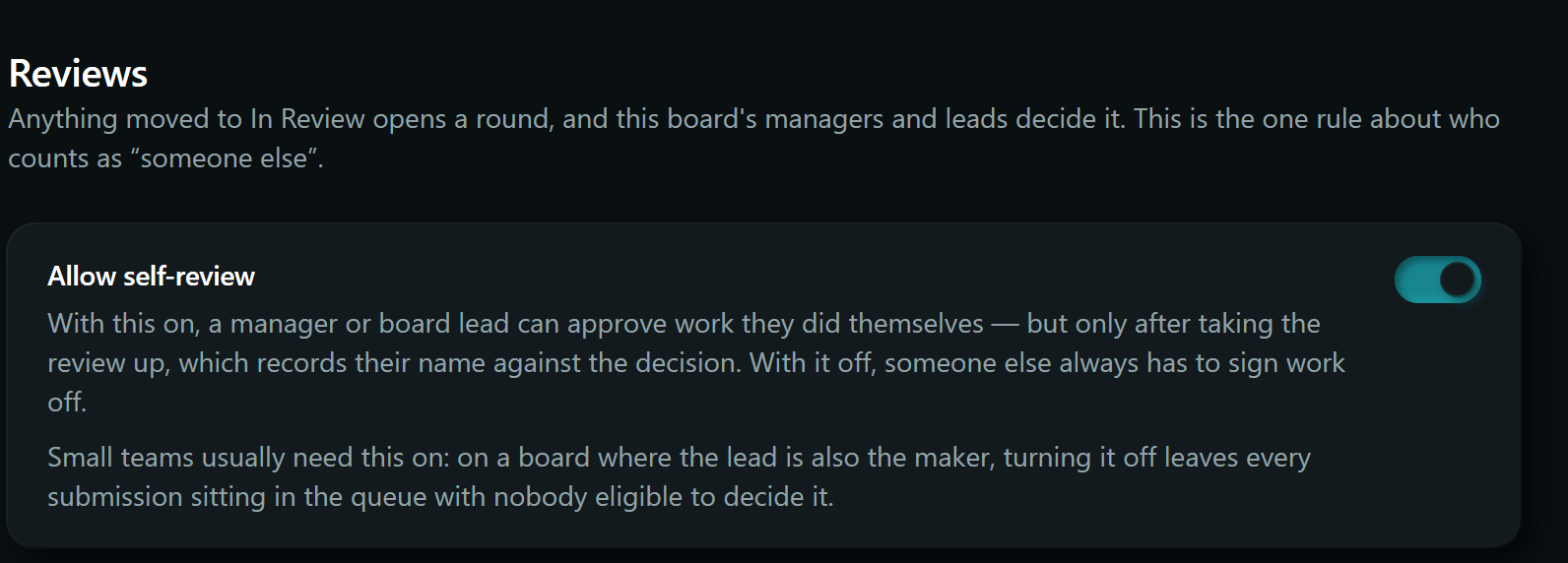
- Self-review is your organisation’s choice — a setting, not a hard-coded rule
// How It Works
How a review runs
4 steps, one continuous record. Nothing is re-keyed between them.
01 — Step 1 of 4
The assignee sends the task for review
The task moves to the chosen reviewer and stops short of Done.
02 — Step 2 of 4
The chosen reviewer sees it in the Reviews tab, with the client named
So nobody has to work out which account a piece of work belongs to.
03 — Step 3 of 4
Approve, or request changes with a note
Changes requested sends the task back to the assignee’s My Work with the note attached.
04 — Step 4 of 4
Only an approved task can complete
Until the review passes, Done is not an option the system allows.
// Wiki
Save the reviewer’s feedback to the wiki
The same correction made on every project is a standard nobody wrote down. Save a reviewer’s feedback to the client’s wiki space from the review itself, and the next person reads it before they start rather than after they are sent back.
// Comparison
Azyneo vs standalone proofing tools
| Capability | Azyneo reviews | Standalone proofing tools |
|---|---|---|
| Review blocks the task from completing | ||
| Lives on the same task as time and schedule | ||
| Reviewer chosen per task | ||
| Pass approval up to a senior reviewer | Varies by tool | |
| Pixel-level annotation on assets |
Proofing tools such as Ziflow and Filestage are built for annotating assets, and are better at it. Azyneo’s review controls whether the work is finished. Comparison reflects publicly documented features at the time of writing.
FAQ
Review and approval questions
Not while a review is open. Once a task has been sent for review, only an approved task can complete, and the rule is enforced in the database rather than by hiding a button.
Team leads and executives choose the reviewer, and can pick anyone in the organisation. A reviewer can also approve and pass the task on to a more senior reviewer.
That is your organisation’s choice. Self-review is a setting: leave it on for small teams where the person doing the work is also the senior reviewer, or turn it off so every review needs a second pair of eyes.
The task goes back to the assignee’s My Work with the reviewer’s note, and they send it for review again when it is ready.
Proofing tools are excellent at annotating an asset. They do not control whether the task is finished, when it was scheduled or what the rework cost. Azyneo ties the review to the task and to the hours logged against it.
Get Azyneo running for your agency.
Tell us your team size and how you want to run it — SaaS or on-premises — and sales will come back with a quote the same working day.